

Wednesday, September 2nd 2026
Mobile app retention strategy: how to build a return loop
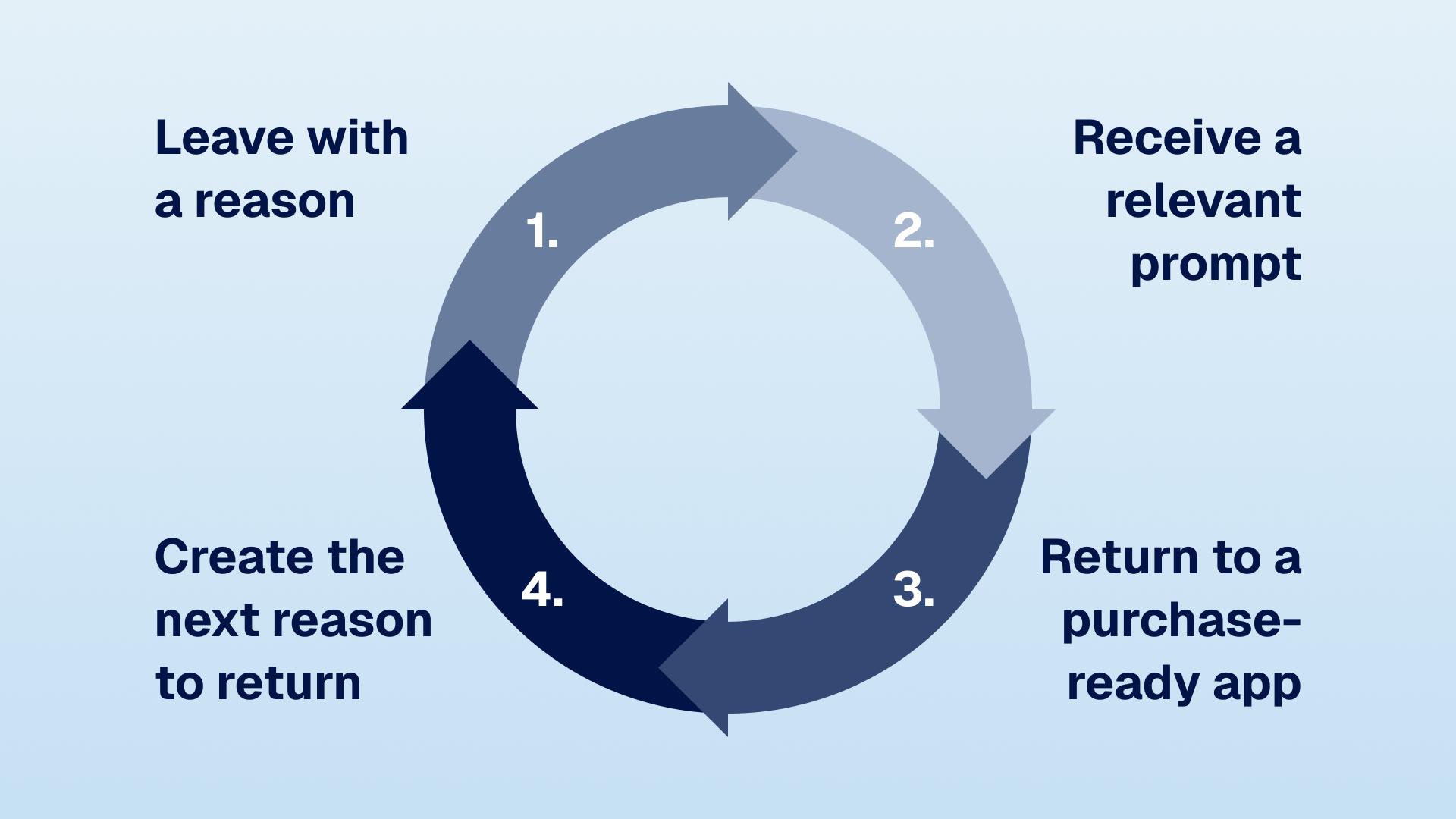

A mobile app retention strategy is a return loop, not a campaign calendar. The customer leaves with something unfinished or valuable, receives a prompt triggered by their behavior, returns to an app that remembers them, then finds a new reason to come back. Most teams treat the return visit as a messaging problem. It is a product problem too.
A push notification can remind a customer to open an app. It cannot, by itself, give them a reason to care, make the next purchase easy, or create the next reason to return. That takes a return loop.
For Shopify brands, each of those four stages is a product decision as much as a message. When the loop works, the app becomes a place customers use between purchases, not merely another checkout.
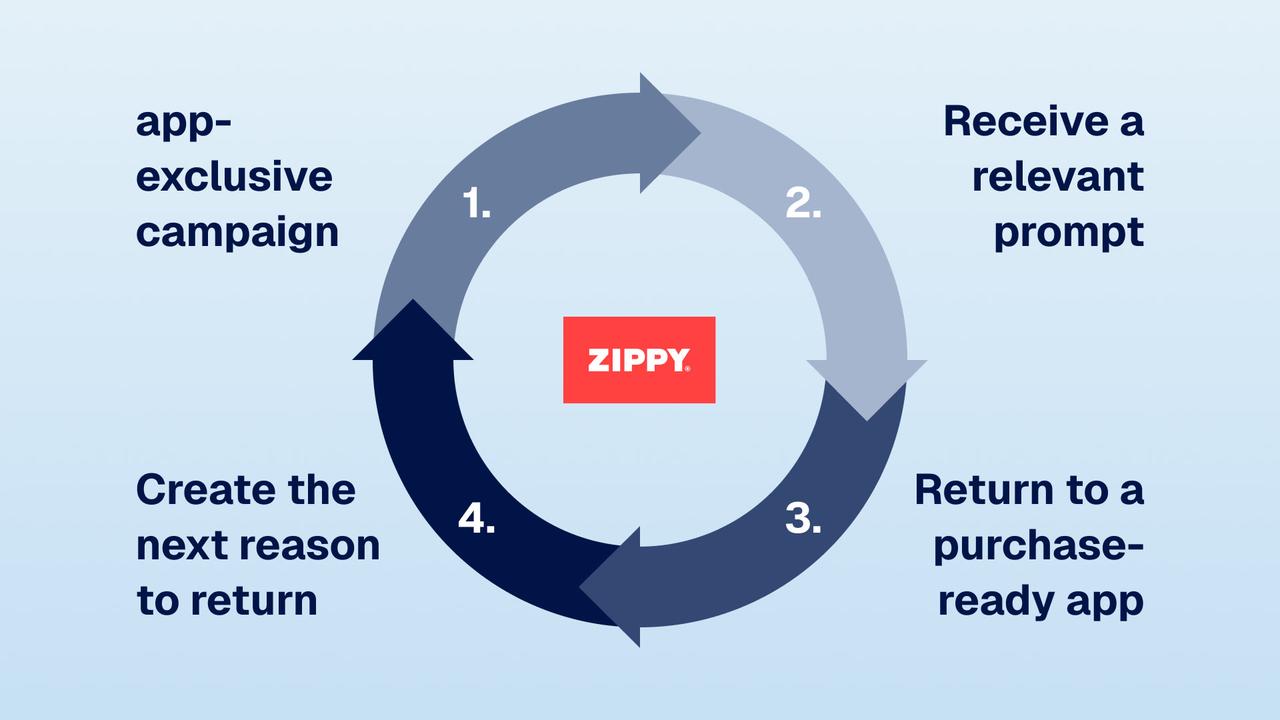
Stage 1: create the reason to return before the customer leaves
Create the reason to return during the current session. A generic sale notification has to create interest from scratch. A reminder about credit a customer earned, a product they saved, or an order they placed can continue an existing task.
That is the difference between an interruption and a useful reminder.
The most useful return reasons are usually built into normal commerce behavior:
- A saved product or an out-of-stock size creates a reason for a back-in-stock or price-drop alert
- An unspent store-credit balance or newly earned points creates a reason to browse again
- An order on its way creates a service moment, then an opportunity to recommend the next relevant product after delivery
- A drop, restock, or new collection creates a reason to be early
- A loyalty tier in progress gives the next purchase visible meaning
Not every customer needs every reason. The point is to make at least one real reason available when a session ends.
This is why loyalty matters beyond discounts. A visible balance gives the customer a reason to return, as does a wishlist or reliable app-first access. Each gives the next message something specific to say.
Stage 2: trigger the return prompt from behavior, not a calendar
Base return prompts on behavior, not the campaign calendar. A campaign calendar still has a place, but the most dependable messages respond to something the customer did or asked for.
Start with a small set of triggers that lead to a clear destination:
| Customer state | The return prompt | Where the tap should go | What to watch |
|---|---|---|---|
| Added a product to a wishlist, then the price falls | "Your saved item is now lower" | That product, with the active price | Return sessions and orders |
| Wanted an unavailable item | "Your size is back" | The exact variant, not a collection page | Time from restock to purchase |
| Earned credit or reached a points milestone | "You have $X ready to use" | A curated collection or cart with balance visible | Credit redemption and repeat orders |
| Completed an order | Delivery updates, then a relevant follow-up after delivery | Order tracking, then the next appropriate product | Second-purchase rate |
| Has not opened recently | "Here is what changed since your last visit" | A genuinely new collection, content feed, or exclusive | Reopened users who browse or buy |
This is why push is more than copywriting. The message, audience, destination, and success metric need to line up. Sending "your size is back" to everyone, then taking them to the home screen, breaks the loop before the shopper can act.
For the mechanics of opt-in, segmentation, quiet hours, and automation priorities, see the complete guide to push notifications for Shopify.
Service notifications earn the right to send marketing ones
Order and delivery updates make notifications useful before they sell anything. Customers expect them. When they arrive on time and open to accurate information, customers learn that the app is worth checking.
That trust is easy to lose. Do not turn every service event into a promotion. Keep the delivery update useful on its own. Then, after the order has arrived and the product has had time to be used, send a separate follow-up only if the recommendation is genuinely relevant.
The goal is not more notifications. It is a better expectation of what a notification from you means.
Stage 3: bring the customer back to an app that remembers them
A return path should continue the last session. A customer who taps a price-drop alert and hits a login wall, an empty cart, or the wrong product page has to do the work twice.
The baseline is straightforward:
- Deep-link to the exact place. A restock alert should open the product and selected variant. A credit reminder should make the balance visible where it can be used.
- Keep the customer recognized. Persistent login and market preferences remove the most avoidable friction from a return session.
- Keep useful state. Cart contents, wishlists, loyalty progress, and recently viewed products should still be there when the customer comes back.
- Make the next action obvious. Do not make a customer hunt for the reward, product, or offer the message promised.
These details are not cosmetic. The loop depends on the move from attention to action. Reliable deep links and saved customer state remove steps. A slow or generic destination makes the message feel like a detour.
That is also why the first purchase matters so much. It gives the brand useful signals, and it gives the customer an account, a cart history, an order history, and often a loyalty balance worth returning to. The wider acquisition-to-retention framework belongs in the app growth guide.
Stage 4: create the next reason to return, without training discount-hunters
A return loop works when the app stays useful, not when it stays cheaper. If every return reason is another discount, customers learn to wait. Mix the reasons so the app has a place on the home screen.
Use a rhythm like this:
- Always-on utility: order updates, restocks, wishlists, price drops, and loyalty milestones
- Recurring value: points, credit, app-first access, and members-only content
- Editorial reasons to browse: new arrivals, shoppable video, seasonal edits, and relevant category recommendations
- Occasional commercial moments: launches, promotions, and genuine urgency
App-exclusive access works because it gives customers a reason to return that is not a price cut. The app can be first to a drop or restock, or the only place to see a limited collection. The promise must be reliable. One weak exclusive is forgettable. A repeated pattern can change behavior.
Loyalty makes the pattern more visible. Points that sit in an email reminder are easy to forget. Points that appear while browsing and redeem in the cart become part of the shopping experience. The wider app growth guide shows where loyalty fits in the acquisition, activation, and retention cycle.
Coordinate the loop across push, email, and SMS
Give push, email, and SMS different jobs. Sending the same message through all three channels at once does not create three chances to convert. It usually creates three interruptions.
Push is best for short, immediate prompts with a clear in-app destination: a restock, a price change, a drop opening now. Email can explain a collection, tell a story, or show several products. SMS is best held for moments where urgency genuinely justifies it.
Coordinate the channels around the customer's state:
- Suppress the other channels after a customer has acted
- Set priorities so an abandoned-cart message does not collide with a sale alert
- Respect quiet hours and the customer's local time
- Track opt-outs as a sign that relevance or frequency has slipped
Use one useful reason, one appropriate channel, and one clear next action.
Measure whether the loop closes, not whether the message was sent
A high open rate does not prove retention. Measure whether a prompted user returns, completes the action, and comes back again later.
Start with four views of the loop:
| Question | Useful metric | Why it matters |
|---|---|---|
| Did the prompt bring people back? | Return-session rate by trigger | Separates a real prompt from background noise |
| Did the destination fulfill the promise? | Product views, add-to-cart rate, and conversion after the deep link | Finds broken destinations and weak offers |
| Did the customer return again? | 30-, 60-, and 90-day repeat purchase or active-user rate | Shows whether the behavior is becoming a habit |
| Is the channel staying healthy? | Opt-out rate, frequency per user, and conversion by segment | Catches over-messaging before it becomes churn |
Compare cohorts, not just totals. Customers who install an app are often more engaged before they install, so raw app-versus-web results do not prove the app or a particular message caused the difference. Where possible, hold out a comparable group from a trigger or match customers on their pre-existing purchase behavior. The ROI calculator can help set a measurement plan before you build.
What the return loop can look like in practice
Repeat behavior tells you whether the loop works. Based on NAPPS customer data, Zippy's app users had a 78% repeat purchase rate, compared with 58.3% for website users, during Jul 2025-Feb 2026. Its app averaged a 21% push open rate and grew to about 34% of total online revenue.
Those figures are encouraging, but they should be read carefully. They compare self-selected app users with storefront users, so they show a strong observed relationship, not a controlled estimate of what push or the app alone caused. Zippy also ran an active program: behavior-timed notifications, app-exclusive campaigns, and a native experience built for repeat use. The loop is the system, not one number.
How NAPPS fits in
NAPPS gives Shopify and Shopify Plus teams the app components needed for a return loop: behavior-triggered and campaign push notifications, deep links, persistent shopping sessions, app-exclusive campaigns, and loyalty integrations with Growave, LoyaltyLion, and Smile.
Do not switch on every feature. Choose the customer states that matter to your category, give each a useful prompt and destination, then measure whether those customers return more often. Otherwise, the app becomes another icon customers forget.
Common retention questions
Mobile app retention is the rate at which people who install a brand's app keep opening it and buying again rather than going dormant or uninstalling. For Shopify brands, it comes from a return loop: a reason to come back, a relevant prompt, an app that remembers the customer, and a fresh reason to return next time.
A mobile app return loop is the system that turns one visit into the next: the customer leaves with a reason to return, receives a relevant prompt, lands in a purchase-ready experience, and creates a new reason to come back. In ecommerce, the reasons are often a wishlist, restock, store credit, loyalty progress, order update, drop, or exclusive access.
Start with useful, behavior-triggered messages: order updates, back-in-stock alerts, price drops, loyalty milestones, and reminders about unspent credit. Deep-link each one to the exact product, reward, or state it promises, keep the customer logged in, and make the next action easy.
No. Push creates the prompt, but retention also needs a real reason to return and an app experience that remembers the customer. Without relevance, a clear destination, and ongoing value such as loyalty or app-first access, more push simply creates more chances to opt out.
Measure return sessions and purchases by trigger, conversion after each deep link, 30-, 60-, and 90-day repeat behavior, and notification opt-outs. Use cohort comparisons or holdouts when possible so you do not mistake an already-engaged app audience for incremental impact.
The bottom line
Mobile app retention is not about finding more reasons to send messages. Give customers something real to return for, make the return easy, and create the next reason before they leave.
Build the loop around behavior your customers already show. Make the app the place that finishes the task.
See how NAPPS turns a Shopify store into a native retention channel ->
Keep reading
October 27, 2026 - 10 min read
4 MobiLoud alternatives for Shopify: pricing and fit


October 23, 2026 - 8 min read
Tapcart vs Shopney: pricing, features, and which fits your Shopify store
September 18, 2026 - 13 min read
Tapcart Alternative: NAPPS Pricing, Features & Migration