

Wednesday, July 15th 2026
How to fill in your app store listing without getting rejected
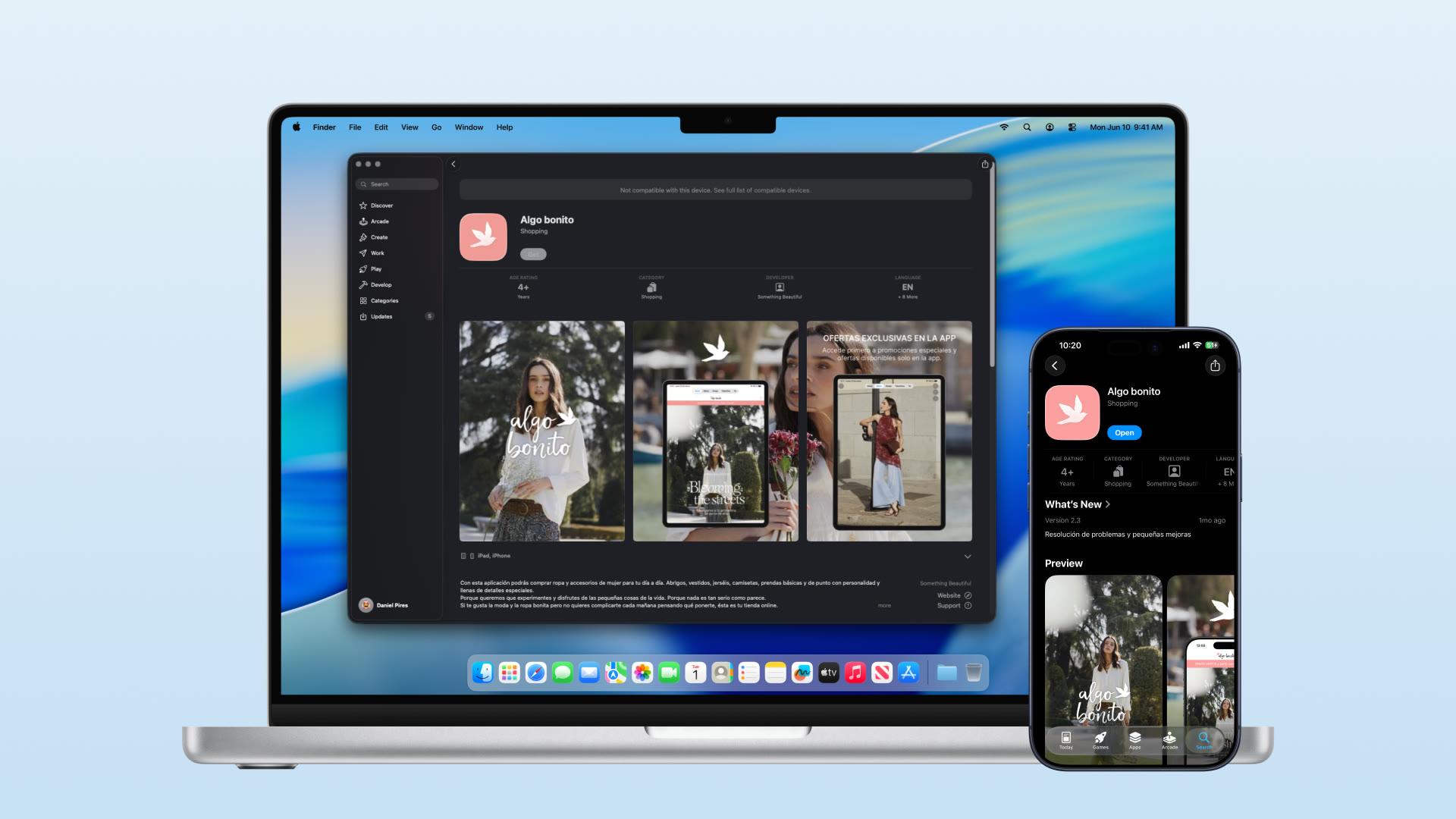

To fill in an app store listing without a rejection, upload screenshots at the exact sizes each store requires, keep copy within its character limits, avoid claims you cannot substantiate, such as "#1" or "best", and check whether your products fall in a regulated category with its own rules. Listing problems are among the easiest rejections to prevent.
This guide covers the listing and metadata side: asset specifications, copy rules, claims that get flagged, and regulated product categories with their own store rules. Knowing the rules before you submit avoids most of these problems.
Scope. This checklist covers store-listing and metadata risk only. It does not replace a full App Review or Google Play release review, and it does not cover app functionality, crashes, privacy disclosures, payments, account deletion, or reviewer access. Those are listed at the end under "What this checklist does not cover." Throughout, each rule is tagged [Required] (an explicit store rule or upload check), [Platform guidance] (the store's stated guidance, enforced with reviewer discretion), or [Recommended] (our own best-practice advice). This is not legal advice.
First, why this trips people up
Both Apple and Google review your metadata, not just your app. Your screenshots, name, subtitle, description, and keywords are all part of what gets approved, and the rules apply to every localization you submit, not just the English one. So a listing that passes in English can still be flagged for a claim you left in the German screenshots.
Two stores, two rulebooks:
- Apple publishes the App Store Review Guidelines. Metadata rules live mostly under Guideline 2.3 (Accurate Metadata), with content rules under 1.1 (Objectionable Content) and restricted categories under 1.4 (Physical Harm).
- Google publishes its Play Console policies, including a specific Metadata policy and category rules in the Developer Program Policy.
The two sets of rules overlap more than they differ.
The asset specs: dimensions, counts, and formats
Get the assets to spec first, because a wrong-size or wrong-format file is caught by the upload validator before a human ever sees it. These are current as of 2026, and Apple changes screenshot sizes when new devices ship, so confirm the live values in Apple's screenshot specifications and Google's preview assets guide before you export anything.
| Asset | Apple App Store | Google Play |
|---|---|---|
| Screenshots (count) | [Required] 1 to 10 per device size / localization | [Required] 2 to 8 per type; 4 suitably-sized ones needed for some promotional placements |
| Screenshot format | [Required] PNG or JPEG, RGB, no alpha/transparency | [Required] JPEG or 24-bit PNG (no alpha), max 8 MB |
| Screenshot size | [Required] One of Apple's currently accepted 6.9-inch iPhone sizes (check the live table); a 13-inch iPad size is required if the app runs on iPad | [Required] Aspect ratio 16:9 to 9:16, each side 320 px to 3840 px |
| App icon | [Required] 1024 x 1024 PNG, RGB, flattened, no alpha, no rounded corners (Apple rounds them) | [Required] 512 x 512, 32-bit PNG |
| Feature graphic | Not used | [Required] Exactly 1024 x 500, JPEG or 24-bit PNG, no alpha |
| App preview video | [Recommended] Optional, up to 3 per localization, 15 to 30 seconds | [Recommended] Optional, via a YouTube link |
Two upload traps catch brands most often, and both are validation errors at upload time (not App Review rejections): transparency (an alpha channel in a screenshot or icon is refused on upload by both stores) and exact pixel dimensions (Apple's validator only accepts its listed sizes, so an off-size export is refused). Export flat RGB files at an accepted size and both go away.
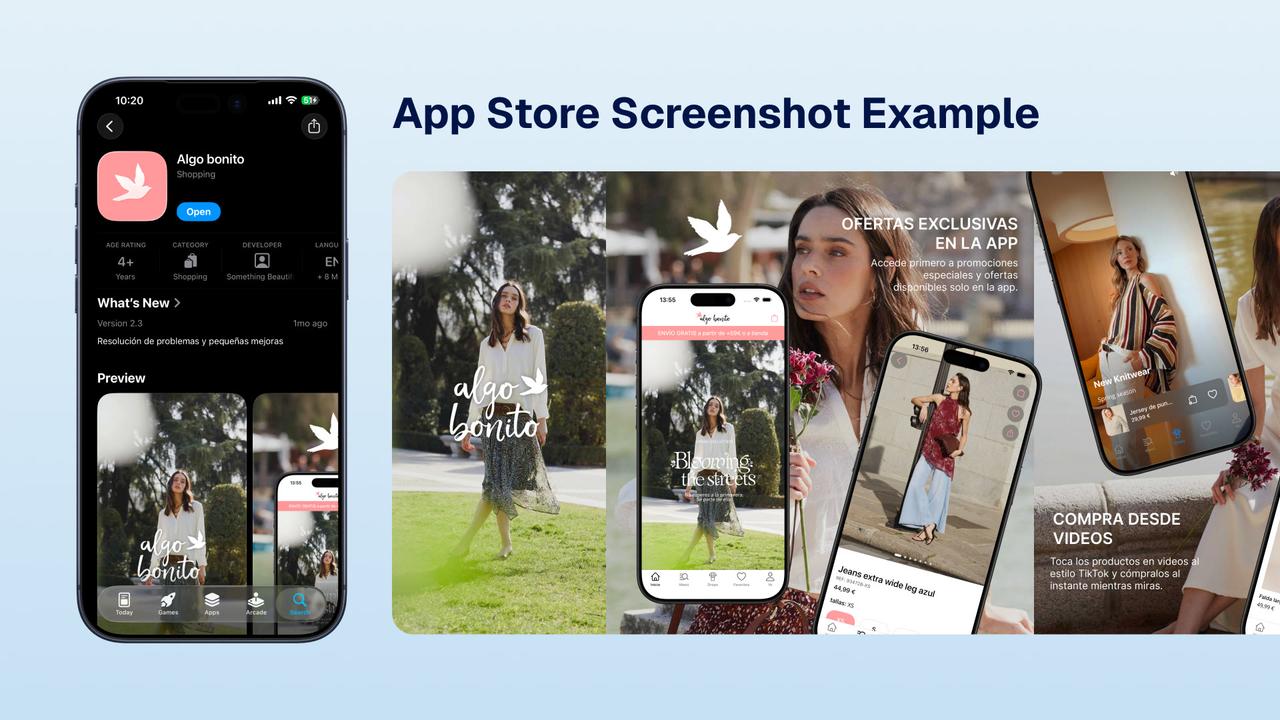
Screenshots: iPhone frames, Android frames, and one set vs. two
[Recommended] If you can, build native-looking screenshots for each store, because Google's own asset guidance advises against device imagery and asks screenshots to represent the actual in-app experience. That's the ideal.
If you're going to produce a single set to reuse, make it with iPhone frames rather than Android. The asymmetry is the reason: Apple does not accept screenshots that show Android devices or Android UI (they have to reflect the Apple experience), whereas Google is more permissive and iPhone-framed screenshots are commonly accepted there. So an iPhone set travels further than an Android set. We can't promise Google approves any particular framing, so treat "one iPhone set for both" as a practical shortcut, not a guarantee.
The copy limits
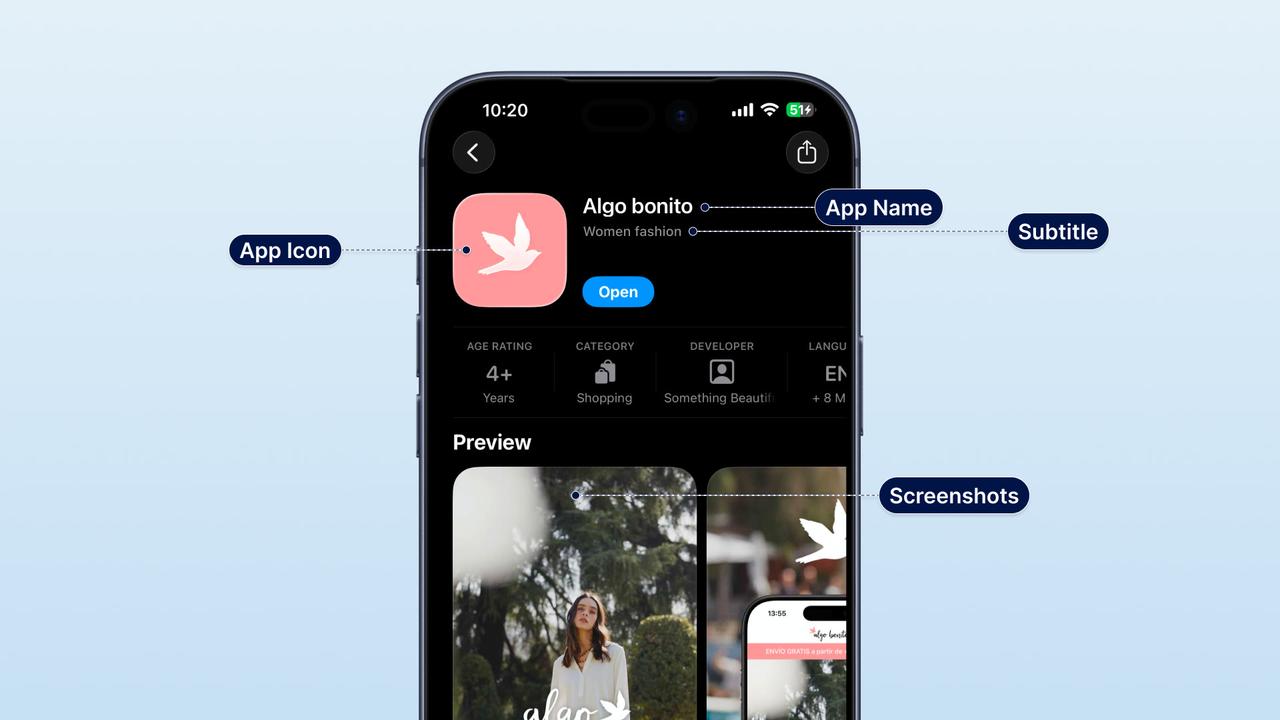
[Required] Your text fields have hard character limits. Going over isn't the risk (the field just stops you); the risk is what you put in them.
| Field | Apple | |
|---|---|---|
| App name / title | 30 characters | 30 characters |
| Subtitle (Apple) / short description (Google) | 30 characters | 80 characters |
| Keyword field (Apple) | 100 characters | Not used |
| Description | 4,000 characters | 4,000 characters |
| Promotional text (Apple) | 170 characters | Not used |
A few copy rules that cause rejections on their own:
- [Required] No prices in the app name or metadata fields. Apple's Guideline 2.3.7 says names, subtitles, and other metadata shouldn't include prices or terms that aren't specific to that field. Put offers in the description or promotional text instead.
- [Platform guidance] No emoji, all-caps words, or repeated special characters in the title. Google is strict here; keep it your brand name plus, at most, a short descriptor.
- [Required] No competitor app names in your name, keywords, or description (Apple Guideline 2.3.7). References to the other platform have their own rule, covered below.
Our App Store Optimization guide for Shopify brands explains how to use these fields to convert and get found, not merely pass review.
The claims that get flagged
This is where brands get caught, because the tempting marketing move is often the thing the stores push back on.
Unsubstantiated ranking or superiority claims ("#1", "best", "top-rated")
[Platform guidance] Avoid ranking and superiority claims you can't substantiate. Apple treats unverifiable claims as inaccurate metadata under Guideline 2.3, and Google's Metadata policy restricts ranking and award claims ("#1", "Best", "App of the Year", award icons) in titles and graphic assets. It's a common and easily-avoided flag.
What to do instead: make any claim specific and substantiated, or cut it. "Trusted by 40,000 customers" is fine if it's true and you can back it up; "the best shopping app" is not. When in doubt, describe what the app does rather than crowning it.
Screenshots that show something the app doesn't do
[Required] Apple's Guideline 2.3.3 requires screenshots to show the app in actual use. If a screenshot advertises a feature that isn't in the build, mocks up a screen that doesn't exist, or a caption promises something the app doesn't deliver, it gets rejected as inaccurate metadata. Marketing overlays and captions are allowed; the underlying screen has to be a real part of the app, and the claim on it has to be true. Practical version: only put a feature on a screenshot if a reviewer can open the app and find it.
Prices and promo text on your graphics
[Required for Apple] / [Platform guidance for Google] Apple's Guideline 2.3.7 treats prices and non-specific promotional terms in names, subtitles, screenshots, and previews as inaccurate metadata (it also goes stale). Google's screenshot guidance strongly advises against ranking, award, and price/promo text ("Sale", "50% off", "Free") on graphics, as recommended practice rather than an absolute upload block. Either way, run offers through the fields built for them (Apple's promotional text updates without resubmitting) rather than burning them into artwork.
Profanity and objectionable language
[Required] Store metadata has to be suitable for all ages even if your app carries an older age rating, so profanity or crude language in the name, subtitle, screenshots, or description gets rejected under Apple's objectionable-content rules (Guideline 1.1) and Google's equivalent. Keep the metadata clean regardless of your brand's usual voice.
Mentions of the other platform (especially on Apple)
[Required] Apple doesn't want its store pointing at anyone else's. A reference to Google Play, Android, or "also available on..." anywhere in your Apple metadata, in copy or on screenshots, gets rejected under Guideline 2.3.10, which limits your listing to relevant information and disallows other mobile-platform names and imagery. It's easy to miss because it feels like helpful information, and it has caught us out a couple of times. Keep every mention of the other platform out of the Apple listing. (Google is more relaxed, though there's no need to mention Apple there either.)
Unfinished or placeholder content
[Required] Metadata (and the app) has to be a finished, accurate representation. Leftover "lorem ipsum", "demo", "test", or a screenshot of an unfinished screen reads as an incomplete submission and gets rejected, and Apple doesn't host beta apps on the App Store. Note the nuance: a genuine pre-order or "coming soon" state is legitimate when it's set up through the store's own pre-order tools. The rule is really about unfinished or misleading content, so scrub placeholders and make sure what's shown matches what ships.
Keyword stuffing and irrelevant terms
[Required] Cramming unrelated trending terms, competitor brand names, or repeated keywords into your fields is flagged under Apple's Guideline 2.3.7 and Google's spam rules. Keywords should be relevant to what your app actually is.
Regulated categories: adult and alcohol
A few product categories carry their own store rules on top of everything above. Cannabis, CBD, vape, and nicotine are restricted enough (viable in some cases, not in others) that they get their own guide: can you sell CBD, cannabis, or vapes through a mobile app? The two categories that most often surprise general retail brands are covered here. As always, these policies change and vary by country, so verify current policy and take legal advice; this isn't a ruling.
| Category | Apple App Store | Google Play |
|---|---|---|
| Sexual wellness / adult | Allowed if non-explicit: condoms, toys, and wellness products are fine, but overtly sexual or pornographic imagery/content is rejected (Guideline 1.1.4). Use the correct mature age rating | Allowed if non-explicit and correctly rated; content that is pornographic or "intended to be sexually gratifying" is rejected |
| Alcohol | Allowed with an accurate age rating; can't encourage excessive or underage consumption | Allowed with restrictions; can't encourage illegal or inappropriate use |
Sexual wellness brands can absolutely publish, but product photography and copy have to stay non-explicit, and you need to declare the mature content honestly in the age-rating questionnaire (misdeclaring it is its own rejection). Tasteful, retail-style presentation passes; explicit imagery does not. Alcohol is usually publishable with the right age gating and accurate ratings, though the details vary by market.
The pre-submit checklist
Run this before you hit submit, on every localization. It reduces listing and metadata risk; it does not cover the app itself (see the next section).
Assets
- Screenshots at a currently accepted size, flat RGB, no transparency
- At least 4 screenshots, icon, and (Google) feature graphic to spec
- No Android devices or Android UI shown in Apple screenshots
- Every screenshot shows a real screen that exists in this build
Copy and claims
- No unsubstantiated "#1", "best", "top-rated", or award claims
- Any numeric claim ("trusted by X customers") is accurate and defensible
- No prices or promo text in the name or on graphics
- No profanity or crude language in any field
- No competitor app names
- No mention of Google Play or Android anywhere in the Apple listing
- No emoji, all-caps, or special characters in the title
- No placeholder or unfinished content; what's shown matches what ships
Category and localization
- If in a regulated category (cannabis, vape, adult, alcohol), current policy checked for both stores
- All of the above checked in each localization, not just English
What this checklist does not cover
Passing the listing check is necessary, not sufficient. Most of what actually gets apps rejected sits outside metadata, and this guide deliberately doesn't touch it:
- Reviewer access: working demo account credentials, and any login or gated area the reviewer needs to reach.
- Live backend: services and APIs the app depends on must be live during review, not staged.
- Privacy and data: accurate privacy nutrition labels / Data safety form, a privacy policy, and permission usage strings.
- Payments: correct use of in-app purchase versus external payments for the content type.
- Account deletion: required in-app account deletion where the app supports account creation.
- Functionality and stability: no crashes, no broken links, no placeholder features, genuine functionality beyond a repackaged website.
- Reviewer discretion: both stores apply judgement, so nothing here guarantees approval.
How NAPPS helps
NAPPS is a native mobile app builder for Shopify and Shopify Plus brands. It sets up App Store and Google Play listings at launch with correctly sized assets and compliant copy, published through your own Apple and Google accounts. The team checks common listing issues before submission, including unsubstantiated superlatives, screenshot claims that outrun the build, other-platform mentions, and leftover placeholders. For regulated products, NAPPS can assess store viability before you build.
The app is free until you are ready to publish, so you can get the listing right before the launch date is close. The Shopify mobile app launch checklist covers the wider pre-launch work.
Frequently asked questions
Two different things happen. Wrong format or size (transparency, or a size the validator doesn't accept) is refused at upload, before review. A screenshot that shows a feature not in the app is rejected in review under Apple's Guideline 2.3.3, which requires screenshots to show the app in use. Promo or price text on graphics is discouraged by Google's screenshot guidance and treated as inaccurate metadata by Apple.
No. Apple requires screenshots to reflect the Apple experience and rejects ones showing Android devices or UI. The reverse is more forgiving: iPhone-framed screenshots are commonly accepted on Google Play, though Google's own guidance prefers screenshots that represent the in-app experience without device frames.
Google's screenshot guidance strongly advises against price, promo, ranking, and award text on graphics, and its Metadata policy restricts ranking and award claims. Keep offers in the fields built for them rather than on the artwork, and don't make ranking claims you can't substantiate.
Avoid superiority or ranking claims you can't back up. Apple treats them as unverifiable metadata and Google restricts them. A specific, substantiated claim is safer than a superlative.
Yes, if the content stays non-explicit and you declare the mature content honestly in the age-rating questionnaire. Pornographic or sexually gratifying content is rejected. Cannabis, CBD, vape, and nicotine are more restricted (some aren't viable at all), and we cover them in a dedicated guide: can you sell CBD, cannabis, or vapes through a mobile app?
Yes. Both stores' metadata policies apply to every localization, so a claim you removed from the English listing has to be removed from the German, French, and every other one too.
Straight from the source
The stores' own documentation is the final word, it changes, so check it before a submission:
- Apple: the App Store Review Guidelines (metadata under 2.3, content under 1.1, restricted categories under 1.4) and the screenshot specifications.
- Google: the Metadata policy, the preview assets guide, the Developer Program Policy for restricted categories, and store listing best practices.
The bottom line
Getting the listing right is a compliance exercise with a handful of traps: assets at an accepted size with no transparency, no prices or profanity in the copy, every screenshot showing a real feature in the build, no other-platform mentions on Apple, and no ranking claims you can't substantiate. Clearing all of that reduces the risk of a listing-related rejection across every localization, which matters most when a launch or a campaign is waiting on the other side. It doesn't cover the app itself, so treat it as one layer of review, not the whole thing.
If you'd rather not learn these the hard way, and especially if your products sit in a regulated category, book a 20-minute call with the NAPPS team and we'll give you a straight read on your listing and your store viability before you build.
Keep reading
October 27, 2026 - 10 min read
4 MobiLoud alternatives for Shopify: pricing and fit


October 23, 2026 - 8 min read
Tapcart vs Shopney: pricing, features, and which fits your Shopify store
September 18, 2026 - 13 min read
Tapcart Alternative: NAPPS Pricing, Features & Migration