

Monday, July 20th 2026
How Planeta Huerto rebuilt six native product-page components for its Shopify app
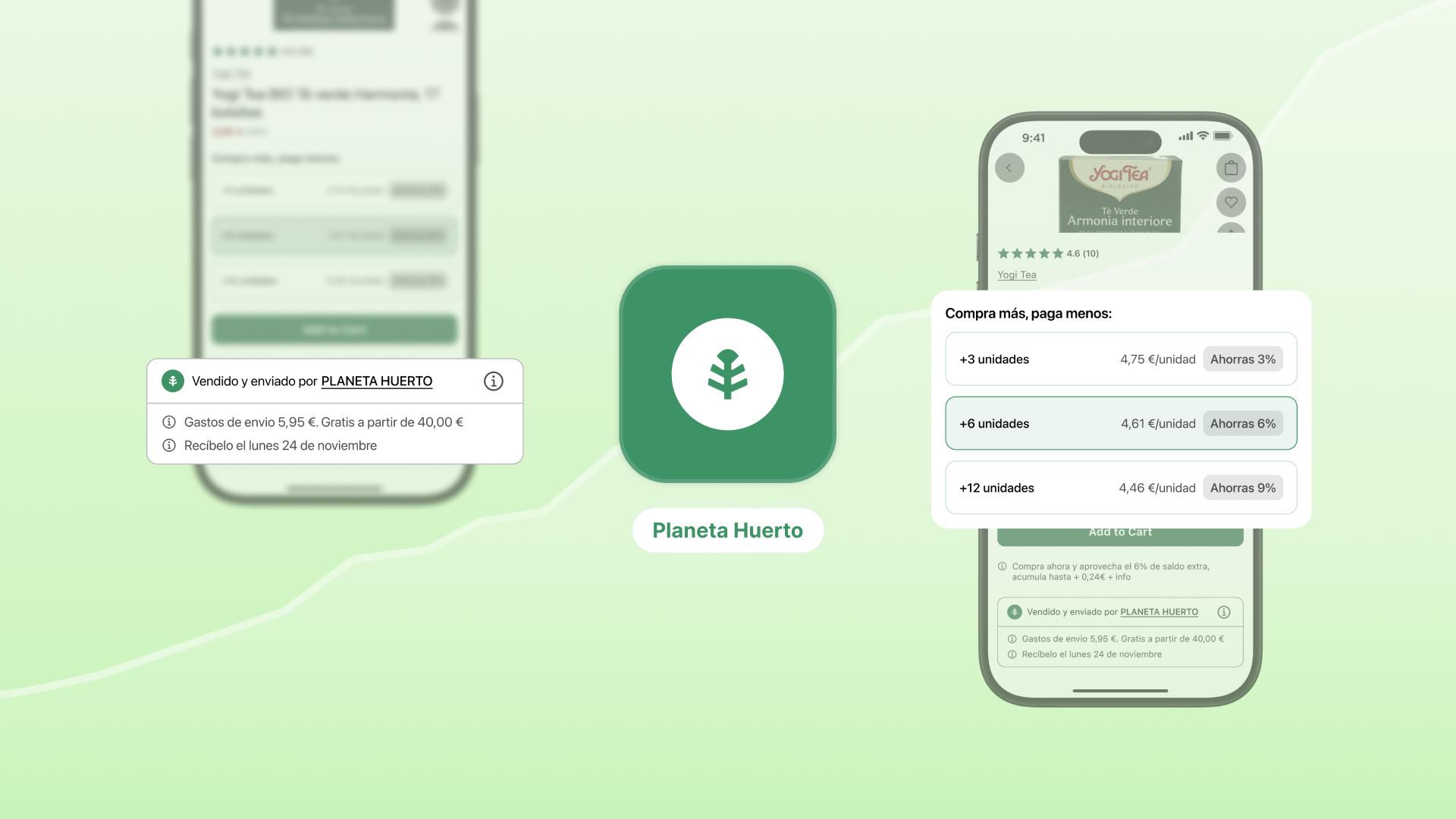
Planeta Huerto, a Spanish health and organic food retailer on Shopify Plus, rebuilt six metafield-driven product-page components as custom native app components while keeping its Mirakl marketplace logic. The case shows that a heavily customized product page can work in a mobile app, provided its underlying data and logic are available.
Its catalog encodes vendor data, tiered pricing, dietary filters, and collection logic in metafields and metaobjects. For the wider build-versus-buy and native-versus-webview decision, see how to turn a Shopify store into a mobile app.
The results after switching to native
App channel vs. online storefront, first 90 days. These results were observed after Planeta Huerto moved from a webview app to a native app. They compare the app with the storefront. They are not a controlled before-and-after benchmark. For why that distinction matters, see how to read mobile app metrics.
+9%
Average order value, app vs. storefront
+47%
Amount spent per customer, app vs. storefront
72%
Repeat purchase rate, app channel

"Every App Store stat is exploding compared with past performance from when they were using web views."
Albert MiraCTO, Planeta HuertoThe objection: "our catalog is too custom for an app"
Planeta Huerto came to NAPPS from a webview platform. If you are not certain whether your own app is one, here is how to diagnose it. The performance was not good enough for a brand whose customers buy on a recurring basis, but the webview app had one thing going for it: it mirrored every custom component from the website.
That was the trap. Those website components were sophisticated, and every one of them ran on custom logic built from metafields, metaobjects, and calculations specific to the business. Six of them lived on the product page alone. On top of that, Planeta Huerto runs a Mirakl marketplace integration, so a single catalog mixes products it sells and ships directly with products from third-party sellers, each with its own vendor, shipping, and delivery rules.
The choice can look binary: keep a webview wrapper or pay for a full native rebuild. Planeta Huerto's team expected the rebuild to cost $2,000 to $3,000 a month or require it to simplify the product page to fit a template. Neither option worked for the business. The components existed for a reason.
All six components were rebuilt natively and included in Planeta Huerto's plan rather than billed as enterprise custom development.
The six components
Planeta Huerto's product page had six distinct metafield-driven components. NAPPS rebuilt all six as native components. This article examines the three with patterns likely to transfer to other brands. The rest show the scope of the work.
The split that matters is new native UI versus existing UI with custom logic on top. Make that distinction before starting a custom build. For the platform decision, see how to evaluate a Shopify app platform.
Two were built as new native UI: the vendor and shipping callout card, and the quantity discount tiers. One reused an existing native component with custom logic on top: the smart product carousel. The other three are the product tags with custom logic, the EU organic product stamp, and the stateful add-to-cart.
The sixth component, stateful add-to-cart, changes the button to show how many of that item are already in the cart. This helps marketplace shoppers track items across sellers in a mixed order.
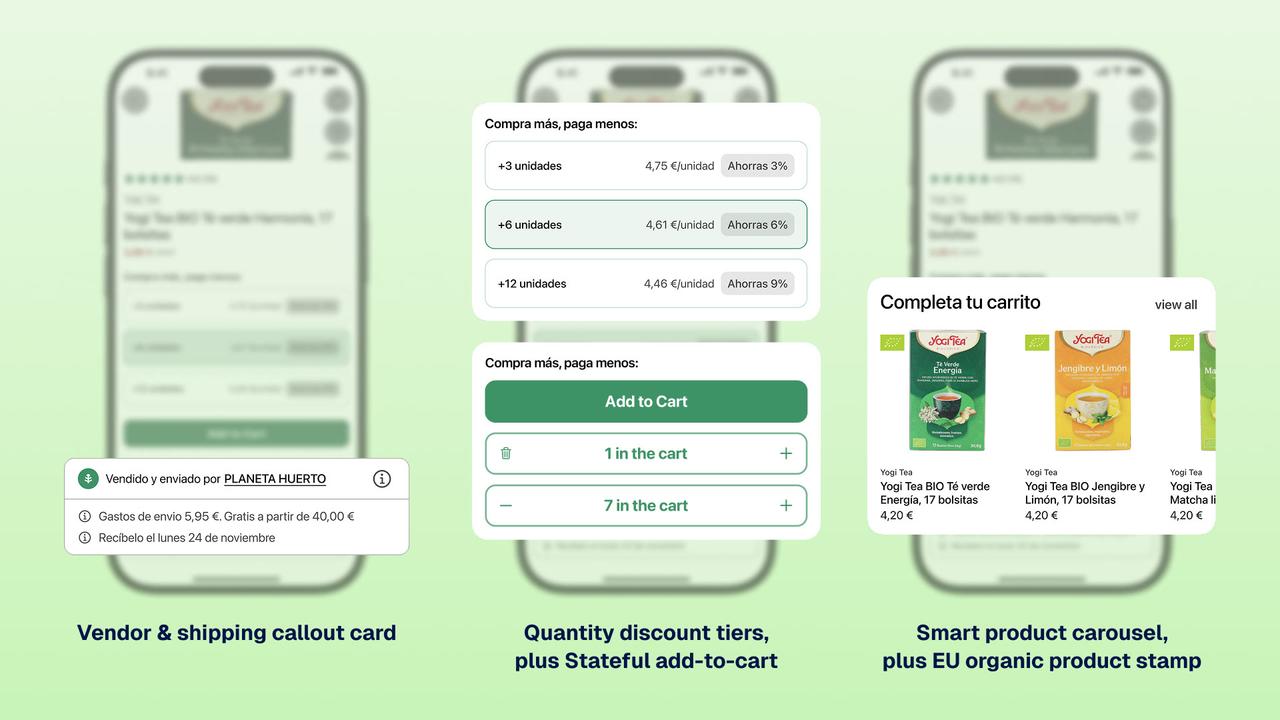
Deep dive 1: the vendor and shipping callout card
Render per-seller shipping and delivery in the app. This gives marketplace products the same clear product-page information as a direct catalog.
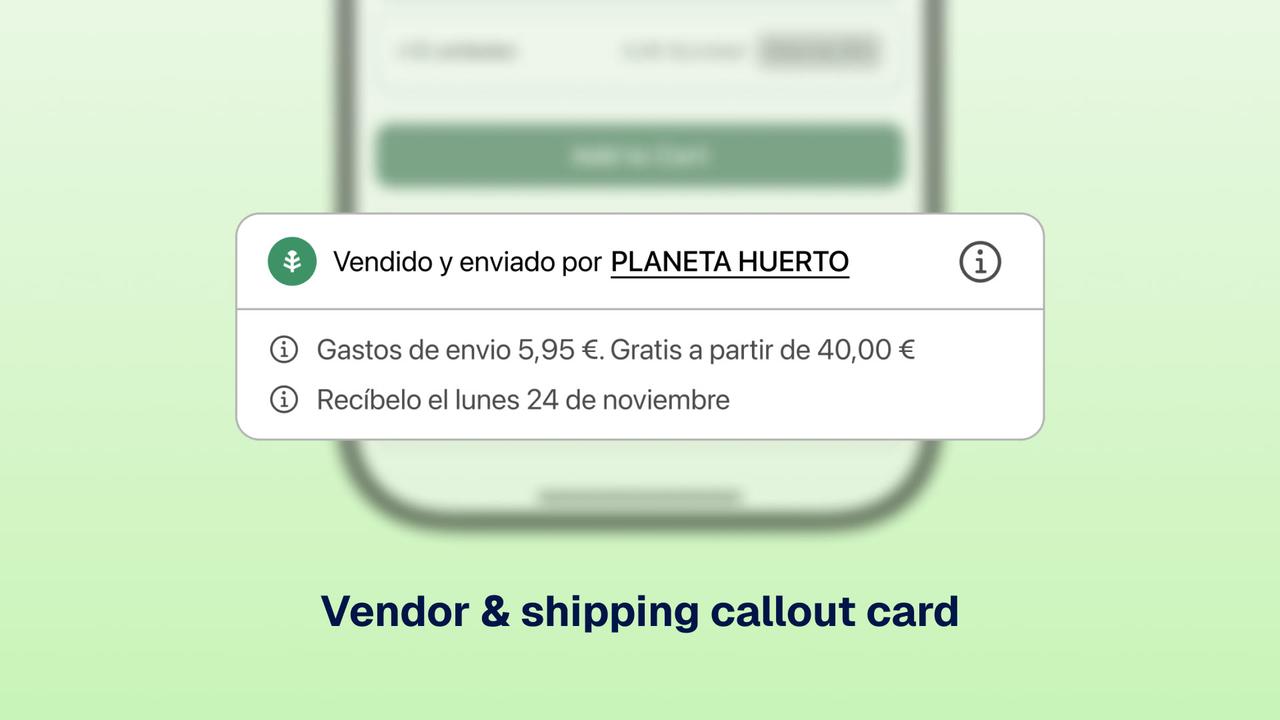
The callout card sits on the product page and shows the vendor name (clickable, linked to the vendor's collection), the shipping cost, and a delivery estimate. What makes it hard is that the estimate changes with two variables at once:
- Day of week. Order Monday to Thursday, it ships next day. Order Friday, it ships Monday. Order on the weekend, it ships Tuesday.
- Product type. Direct products follow one shipping calculation. Marketplace products carry a different vendor and different shipping rules, pulled from product metafields, vendor metaobjects, and the Mirakl integration.
NAPPS made the component reusable: it supports an unlimited number of items rather than a fixed three or four, an icon for each item, and rich-text formatting on the title and items. Other brands now use it for product certifications, sustainability details, and feature callouts.
Deep dive 2: the quantity discount tiers
Keep the discount UI native and let the brand supply the pricing logic. The tier updates without a web round trip.
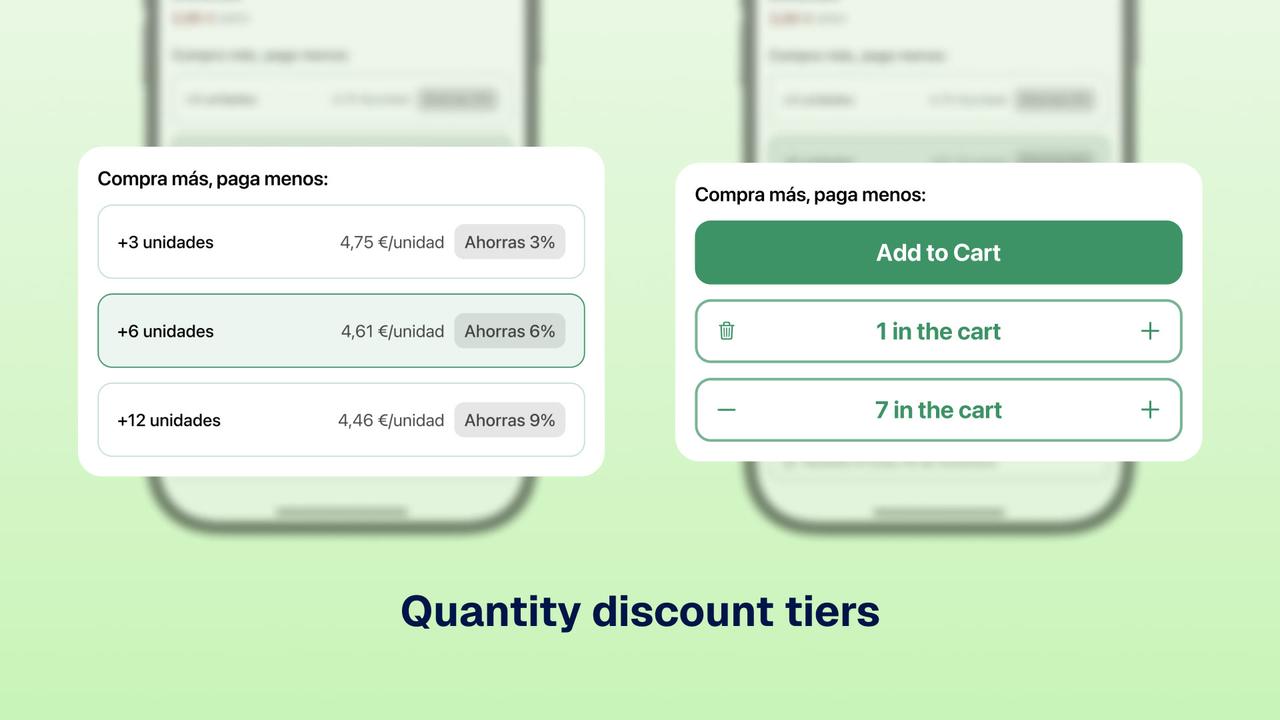
The component shows bulk-discount tiers on the product page (buy 1 at regular price, buy 3 to save 10%, buy 5 to save 20%) and encourages larger baskets by showing the saving clearly. Four things are baked in:
- A dynamic number of tiers, from two to ten, not a fixed three.
- Tags like "Most Popular" or "Best Value" on any tier.
- Live selection tracking, so the component knows which tier is active as the customer changes quantity.
- Click callbacks, which hand the event back to the brand's own logic to recalculate price. The UI shows the tiers; the brand owns the math. That separation means the same native UI can sit on top of completely different pricing rules brand to brand.
The component pairs with stateful add-to-cart. Tapping a tier fires a callback that sets the quantity, then updates the button with the number of units in the cart. The shopper chooses "buy 3, save 10%" and sees the cart change without a page reload. That feedback is especially useful when an order mixes items from several sellers.
Deep dive 3: the smart product carousel
Use catalog structure to show related products automatically. The brand supplies the logic while reusing existing UI.
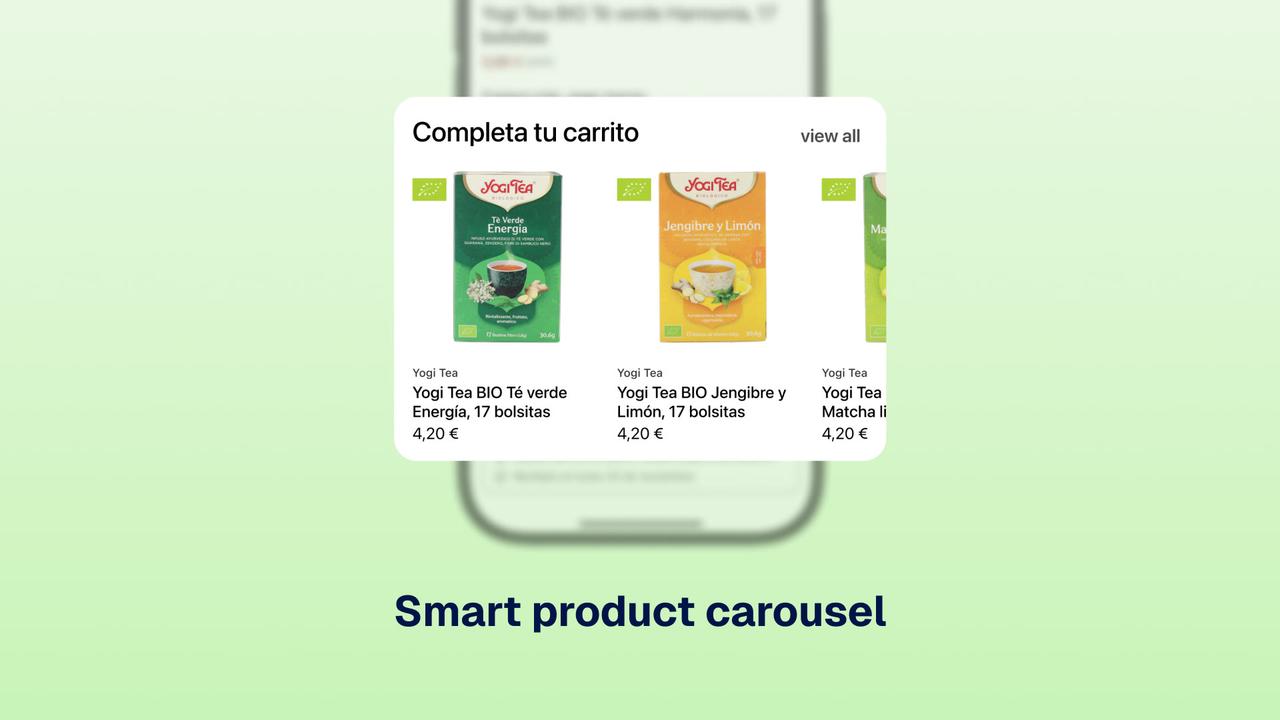
This component reused an existing NAPPS carousel. The custom part was choosing which collection to show. Planeta Huerto names collections by breadcrumb, so a product can sit in several at once:
Home > Food > Organic > VegetablesHome > Food > OrganicHome > Food
The carousel pulls from Vegetables, the most specific collection, rather than broad Food. The logic counts breadcrumb depth, selects the deepest collection, and reads the row title from a custom metafield in the shopper's language. This is a common custom-build pattern: keep the existing native UI and add TypeScript logic.
async onComponentCreated() {
    // Every component already has the current product in scope.
    const collectionIDs = product.collectionIDs;

    // Fetch collections, including the custom metafield used for the display title.
    const collections = await collectionService.getCollectionsByIDs(
        collectionIDs,
        ["custom.show_title"]
    );

    // Collections are named by breadcrumb, e.g. "Home > Food > Organic > Vegetables".
    const separator = " > ";

    // Find the deepest (most specific) collection this product belongs to.
    let stepsToProduct = 0;
    let mainCollection: Collection | null = null;

    for (const collection of collections) {
        if (!collection?.title) continue;
        const steps = collection.title.split(separator).length;
        if (steps > stepsToProduct) {
            stepsToProduct = steps;
            mainCollection = collection;
        }
    }

    // Guard: if no collection matched, leave the carousel untouched.
    if (!mainCollection) return;

    // Title the row from the custom metafield, in the shopper's language.
    const title = mainCollection.metafields.custom.show_title;
    this.updateState({
        collectionID: mainCollection.id,
        title: `Más productos de ${title}`,
    });
}
The excerpt uses three platform capabilities that custom components commonly need:
- Global product context.
productis already in scope, so a component never has to re-fetch the page's product. - Data services.
collectionService(alongsideproductServiceandmetaobjectService) reads Shopify data, including named metafields, without hand-rolling API calls. - App context.
AppUtilsexposes app-level values such as the shopper's country, used here to decide how the collection title should read.
The honest implementation note
This build took about four weeks, longer than a typical NAPPS launch. Planeta Huerto was the first customer built on Expresso, NAPPS's React-and-TypeScript-to-native layer, so the team extended core platform capabilities during implementation.
During those four weeks, NAPPS extended:
- The bridge between native code (SwiftUI and Jetpack Compose) and the React and TypeScript layer.
- The services for reading Shopify data: collections, products, and metaobjects.
- Capabilities the team confirmed it needed mid-project, such as rich-text rendering for the callout card, dynamic icon loading, event callbacks for the discount tiers, and locale-aware formatting for the carousel.
The capabilities built for this project became reusable platform features. Planeta Huerto's developers have since joined Expresso's closed-access program and build new native components for the app directly.
Before planning a migration, confirm who owns the developer accounts and what can transfer from the existing app.
Who this applies to, and what to do next
Planeta Huerto is relevant to complex marketplace catalogs whose product pages use metafields, metaobjects, and third-party sellers. A native app need not lock you into templates. Existing website logic can transfer when the platform has the services, React and TypeScript layer, and native components to support it.
If you think your catalog is too custom for an app, map the data and logic first. Then identify which parts need new UI and which can reuse an existing native component.
See how custom native components would work for your brand. Book a walkthrough.
Frequently asked questions
Yes. Planeta Huerto runs a Mirakl marketplace, so one catalog mixes products it ships directly with products from third-party sellers, each with its own vendor, shipping, and delivery rules. All of it was rebuilt natively: per-seller shipping and delivery callouts, clickable vendor links, and a stateful add-to-cart designed for orders that mix several sellers. The marketplace logic stayed intact.
Yes. Every one of Planeta Huerto's six product-page components ran on custom logic built from metafields, metaobjects, and business-specific calculations, from tiered pricing to breadcrumb-based collection selection. They transferred by pairing native UI components with custom TypeScript logic on top, reading Shopify data (including named metafields) through platform data services. No redesign, and no template compromise.
Not necessarily. Planeta Huerto expected to pay roughly $2,000 to $3,000 a month, or to simplify everything to fit a template. Instead all six components were rebuilt natively and included in their plan, not billed as enterprise custom development.
Planeta Huerto's took about four weeks, longer than a typical NAPPS launch, because they were the first customer built on Expresso (NAPPS's React-and-TypeScript-to-native layer) and foundational capabilities were extended during the project. Those capabilities are now reusable platform features, so later custom builds start from a more complete base.
No. Planeta Huerto moved from a webview platform to native and saw its app-versus-storefront metrics improve across the board. A migration like this replaces what runs inside the app, so you keep your existing App Store listing, ratings, and install base rather than relaunching from zero.
Yes. After the initial build, Planeta Huerto's own developers joined Expresso's closed-access program and now build new native components for the app directly.
Keep reading
October 27, 2026 - 10 min read
4 MobiLoud alternatives for Shopify: pricing and fit


October 23, 2026 - 8 min read
Tapcart vs Shopney: pricing, features, and which fits your Shopify store
September 18, 2026 - 13 min read
Tapcart Alternative: NAPPS Pricing, Features & Migration